A good document is like a folded map in someone’s pocket. Open it in the right place, and it can guide people straight to your brand. That’s the quiet power of document sharing sites. They help you share PDFs, PPTs, DOC files, catalogs, checklists, ebooks, and reports beyond your own website. You don’t need to shout across the internet.
You need useful files placed where curious readers already look. When done well, document sharing can improve off-page SEO, digital publishing platforms, clickable links, quality content, and organic traffic while making your expertise easier to find.
What Are Document Sharing Sites?
Document sharing sites are not something which make you confused but online platforms where you upload files like PDFs, PPTs, DOC files, ebooks, reports, catalogs, presentations, or any other file you may have in your mouse cursor. These websites make your content easier to view, share, download, and discover online easily, and believe me that it works more than you think.
Many businesses are getting full benefits while using these platforms for many essential work such as, content distribution, document marketing, and wider brand reach throughout the internet. So, a well-made document can explain your service, answer a question, or show expertise without sounding like a sales flyer while reading it.
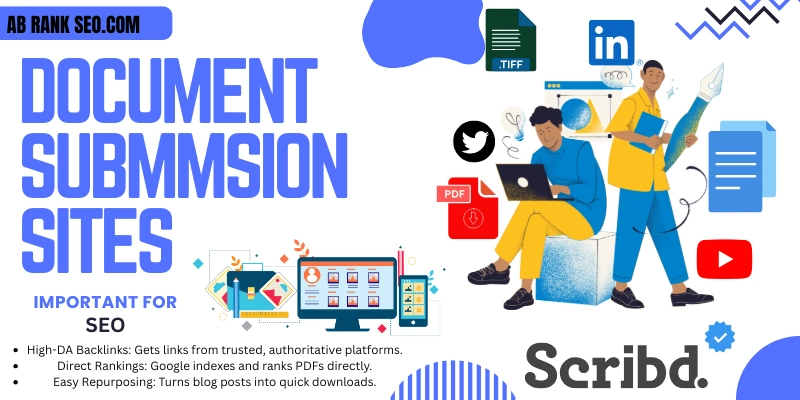
Why Document Sharing Sites Are Important for SEO
Search engines can index many text-based files, and those files may be PDFs, Word documents, and PowerPoint files which people use . That makes optimized documents useful for Google indexing, search engine visibility, and long-term content discovery on the internet.
However, document sharing should never become a lazy backlink trick. You need helpful files, clean formatting, and natural links. A useful guide can earn SEO backlinks, trust, and referral traffic without looking spammy.
Document sharing works best when it becomes part of a clean off page SEO strategy instead of random link posting.
According to the website Google Search Central, Google can index text-based files, including PDF, DOC/DOCX, PPT/PPTX, XLS/XLSX, and OpenOffice formats.
Benefits of Using Free Document Sharing Sites
Free platforms help you repurpose existing content into shareable assets. You can turn blog posts into checklists, service pages into brochures, and case studies into polished PDF guides.
This approach supports content repurposing, brand promotion, and traffic generation. It also gives readers another way to understand your business. Some people like blogs. Others prefer downloadable documents.
Main Benefits
Document submission can improve online visibility, build website authority, and support business promotion. It also helps you publish useful resources across high authority websites without creating new pages from scratch every time.
Document Sharing Sites List 2026
Use this updated document sharing sites list as a practical starting point for PDF, PPT, DOC, Word files, reports, ebooks, catalogs, whitepapers, and presentations. I’ve expanded the list to 100 platforms so your article feels complete.
Before uploading, check each website’s latest rules. Some websites focus on public document discovery, while others work better for file hosting, flipbooks, research documents, cloud sharing, or business documentation.
| No. | Website | Free/Paid | File Types | Best For | Link Option | Sign-Up Required |
|---|---|---|---|---|---|---|
| 1 | SlideShare | Free | PPT, PDF, DOC | Presentations and documents | Profile/document | Yes |
| 2 | Scribd | Free + Paid | PDF, DOC, PPT, TXT | Documents and ebooks | Profile/document | Yes |
| 3 | Issuu | Free + Paid | Magazines and catalogs | Profile/publication | Yes | |
| 4 | Academia.edu | Free + Paid | PDF, DOC | Research documents | Profile/paper | Yes |
| 5 | ResearchGate | Free | Academic papers | Profile/publication | Yes | |
| 6 | DocDroid | Free | PDF, DOC, PPT | Quick document sharing | Document link | No/Yes |
| 7 | DocHub | Free + Paid | PDF, DOC | PDF forms and docs | Share link | Yes |
| 8 | PDF Archive | Free | PDF hosting | Document link | Yes | |
| 9 | Yumpu | Free + Paid | Digital magazines | Publication/profile | Yes | |
| 10 | AnyFlip | Free + Paid | Flipbooks and catalogs | Publication link | Yes | |
| 11 | Joomag | Free + Paid | Digital publishing | Publication link | Yes | |
| 12 | Calameo | Free + Paid | PDF, DOC, PPT | Publications and magazines | Profile/publication | Yes |
| 13 | FlipHTML5 | Free + Paid | Flipbooks | Publication link | Yes | |
| 14 | SlideServe | Free | PPT, PDF | Presentations | Profile/presentation | Yes |
| 15 | Speaker Deck | Free | Slide decks | Profile/deck | Yes | |
| 16 | SlideOnline | Free | PPT, PDF | Presentations | Presentation link | Yes |
| 17 | PowerShow | Free | PPT | Presentations | Profile/presentation | Yes |
| 18 | SharePresentation | Free | PPT | Slide sharing | Presentation link | Yes |
| 19 | MediaFire | Free + Paid | PDF, DOC, PPT | File sharing | Share link | Yes |
| 20 | 4shared | Free + Paid | PDF, DOC, PPT | File hosting | Share link | Yes |
| 21 | Wattpad | Free + Paid | Text, stories | Creative writing | Profile/story | Yes |
| 22 | FileFactory | Free + Paid | PDF, DOC, PPT | File hosting | Share link | Yes |
| 23 | Diigo | Free + Paid | Links, notes, docs | Bookmarking and research | Profile/bookmark | Yes |
| 24 | Smashwords | Free | Ebooks | Ebook publishing | Author/book page | Yes |
| 25 | Pearltrees | Free + Paid | Docs, links | Content curation | Collection/profile | Yes |
| 26 | AuthorSTREAM | Free | PPT | Presentation sharing | Profile/presentation | Yes |
| 27 | Visual.ly | Free + Paid | Visual content | Infographics and reports | Profile/content | Yes |
| 28 | Keep&Share | Free + Paid | PDF, DOC | Shared files | File/page link | Yes |
| 29 | FreePDFHosting | Free | PDF hosting | PDF link | No/Yes | |
| 30 | PDFescape | Free + Paid | PDF editing and forms | Share/export | Yes | |
| 31 | Edocr | Free + Paid | PDF, DOC, PPT | Business documents | Profile/document | Yes |
| 32 | PDFHost | Free | PDF hosting | PDF link | No/Yes | |
| 33 | PinPDF | Free | PDF sharing | Document link | Yes | |
| 34 | SendSpace | Free + Paid | PDF, DOC, PPT | File transfer | Share link | Yes |
| 35 | Zoho WorkDrive | Free + Paid | DOC, PDF, PPT | Business documents | Share link | Yes |
| 36 | Emaze | Free + Paid | Presentations | Interactive presentations | Presentation link | Yes |
| 37 | Lulu | Free + Paid | PDF, ebooks | Book publishing | Author/book page | Yes |
| 38 | FileDropper | Free | Files | Simple file hosting | Share link | No/Yes |
| 39 | Slides.com | Free + Paid | Presentations | Modern slide decks | Profile/deck | Yes |
| 40 | TransferBigFiles | Free + Paid | Large files | File transfer | Share link | Yes |
| 41 | Files.com | Paid | Files | Business file sharing | Share link | Yes |
| 42 | Google Drive | Free + Paid | PDF, DOC, PPT | Cloud sharing | Share link | Yes |
| 43 | Dropbox | Free + Paid | PDF, DOC, PPT | Cloud file sharing | Share link | Yes |
| 44 | OneDrive | Free + Paid | Word, PPT, PDF | Microsoft file sharing | Share link | Yes |
| 45 | Box | Free + Paid | PDF, DOC, PPT | Business storage | Share link | Yes |
| 46 | Canva | Free + Paid | PDF, PPT | Designed documents | Share/export | Yes |
| 47 | Google Docs | Free | DOC, PDF export | Word documents | Share link | Yes |
| 48 | Microsoft PowerPoint | Free + Paid | PPT, PDF | Presentations | Share/export | Yes |
| 49 | Adobe Acrobat | Free + Paid | PDF creation and OCR | Share/export | Yes | |
| 50 | Notion | Free + Paid | Docs, PDF embeds | Resource pages | Page link | Yes |
| 51 | Internet Archive | Free | PDF, books, media | Public archives | Item page | Yes |
| 52 | Zenodo | Free | PDF, datasets | Research files | Record page | Yes |
| 53 | Figshare | Free + Paid | PDF, datasets | Research sharing | Item/profile | Yes |
| 54 | OSF | Free | PDF, research files | Open science projects | Project/file link | Yes |
| 55 | SSRN | Free | Research papers | Paper/profile | Yes | |
| 56 | HAL | Free | Academic documents | Paper/profile | Yes | |
| 57 | Mendeley Data | Free | Research files | Datasets and papers | Record/profile | Yes |
| 58 | WorldCat | Free | Books, records | Book/document discovery | Record/profile | Yes |
| 59 | Flipsnack | Free + Paid | Flipbooks and catalogs | Flipbook link | Yes | |
| 60 | Publuu | Free + Paid | Flipbooks and brochures | Flipbook link | Yes | |
| 61 | Heyzine | Free + Paid | Online flipbooks | Flipbook link | Yes | |
| 62 | FlippingBook | Paid | Professional flipbooks | Publication link | Yes | |
| 63 | Paperturn | Free Trial + Paid | Digital publications | Publication link | Yes | |
| 64 | Publitas | Paid | PDF, catalogs | Product catalogs | Catalog link | Yes |
| 65 | Simplebooklet | Free + Paid | PDF, brochures | Digital booklets | Booklet link | Yes |
| 66 | Marq | Free + Paid | Brochures, PDFs | Brand documents | Share/export | Yes |
| 67 | Lucidpress | Free + Paid | Brochures, docs | Marketing documents | Share/export | Yes |
| 68 | Canva Docs | Free + Paid | Docs, PDF | Designed documents | Share/export | Yes |
| 69 | Adobe Express | Free + Paid | PDF, designs | Simple branded documents | Share/export | Yes |
| 70 | WeTransfer | Free + Paid | PDF, DOC, PPT | File transfer | Share link | No/Yes |
| 71 | pCloud | Free + Paid | Files | Cloud file sharing | Share link | Yes |
| 72 | MEGA | Free + Paid | Files | Cloud storage | Share link | Yes |
| 73 | Sync.com | Free + Paid | Files | Secure file sharing | Share link | Yes |
| 74 | iCloud Drive | Free + Paid | PDF, DOC, PPT | Apple file sharing | Share link | Yes |
| 75 | Box Notes | Free + Paid | Notes, docs | Business notes | Share link | Yes |
| 76 | Zoho Writer | Free + Paid | DOC, PDF | Word documents | Share/export | Yes |
| 77 | Microsoft Word Online | Free + Paid | DOC, PDF | Word files | Share link | Yes |
| 78 | Google Slides | Free | PPT, PDF export | Presentations | Share link | Yes |
| 79 | Microsoft OneNote | Free + Paid | Notes, docs | Notes and resources | Share link | Yes |
| 80 | GitBook | Free + Paid | Docs | Documentation | Page/project link | Yes |
| 81 | ReadMe | Free + Paid | Docs | Product documentation | Docs page | Yes |
| 82 | Read the Docs | Free + Paid | Docs | Technical documentation | Docs page | Yes |
| 83 | GitHub Wikis | Free + Paid | Docs | Developer documents | Wiki/repo link | Yes |
| 84 | Coda | Free + Paid | Docs, tables | Public documents | Doc/page link | Yes |
| 85 | Dropbox Paper | Free + Paid | Docs | Collaborative documents | Share link | Yes |
| 86 | Confluence | Free + Paid | Docs, knowledge base | Team documentation | Page link | Yes |
| 87 | Slite | Free + Paid | Docs | Team knowledge docs | Page link | Yes |
| 88 | Craft Docs | Free + Paid | Docs | Public notes and docs | Share link | Yes |
| 89 | Gamma | Free + Paid | Presentations, docs | Modern decks | Share link | Yes |
| 90 | Pitch | Free + Paid | Presentations | Team presentations | Share link | Yes |
| 91 | Prezi | Free + Paid | Presentations | Visual presentations | Presentation link | Yes |
| 92 | Beautiful.ai | Free Trial + Paid | Presentations | Business decks | Share/export | Yes |
| 93 | Visme | Free + Paid | PDF, PPT, reports | Visual documents | Share/export | Yes |
| 94 | Miro | Free + Paid | Boards, PDFs | Visual planning docs | Board link | Yes |
| 95 | Mural | Free Trial + Paid | Boards, docs | Collaboration documents | Board link | Yes |
| 96 | Evernote | Free + Paid | Notes, files | Notes and documents | Share link | Yes |
| 97 | Jotform PDF Editor | Free + Paid | Form-based PDFs | Share/export | Yes | |
| 98 | FormSwift | Free + Paid | PDF, DOC | Templates and forms | Share/export | Yes |
| 99 | PandaDoc | Free + Paid | PDF, docs | Proposals and contracts | Document link | Yes |
| 100 | DocSend | Free Trial + Paid | PDF, decks | Sales documents | Trackable link | Yes |
PDF, PPT and DOC File Types You Can Submit
Different platforms accept different file formats. Most document submission websites support PDF files, while many also accept PPT, PPTX, DOC, DOCX, PPS, TXT, and ebook-style files.
You can submit service brochures, product catalogs, reports, whitepapers, case studies, tutorials, checklists, and pitch decks. This makes PPT submission sites, DOC submission sites, and PDF sharing websites useful for different content goals.
According to the website SlideShare Support, SlideShare supports PowerPoint, PDF, and Word uploads, including PPT, PPTX, PDF, DOC, and DOCX files.
Best Document Types
A strong document should educate, solve, or explain something clearly. Upload ebooks, checklists, guides, reports, product sheets, case studies, whitepapers, presentations, and company portfolios when they offer real quality content.
How to Create an SEO-Friendly Document Before Submission
A good document starts before upload. Use a clean file name like seo-audit-checklist.pdf instead of final-new-copy-3.pdf. Add a clear title, simple headings, readable fonts, and strong branding.
Also add clickable links, natural anchor text, and a helpful call to action. Compress the file size so it opens quickly. Large files can annoy users before they even read one sentence.
Strong documents start with clear writing, and ourcontent writing services can help you turn simple ideas into useful PDFs, guides, and presentations.
SEO Enhancements for PDF, PPT and DOC Files
Readable text matters. If your PDF is only a scanned image, search engines may struggle to understand it. Use Adobe Acrobat or similar tools to create OCR text and make the document crawlable.
Add relevant keyword tags, clear descriptions, and alt text for images when possible. Keep your document useful. Don’t stuff keywords into every line. That turns a helpful guide into a noisy cupboard.
Before sending users back to your website, make sure your pages follow proper on page SEO so visitors find clear titles, helpful content, and strong internal structure.
How to Submit Documents on Sharing Sites
First, choose a trusted platform from the table. Then create an account if required. Upload your file, add a clear title, write a short description, choose a relevant category, and add tags carefully.
Some sites don’t need registration, but quality platforms often do. After publishing, save the live URL in a tracking sheet. This helps you measure clicks, approvals, and future updates without digging through email cobwebs.
Simple Submission Process
- Choose a relevant platform.
- Prepare your PDF, PPT, or DOC file.
- Add title, description, and tags.
- Upload the document.
- Add links naturally where allowed.
- Publish the file.
- Track the live URL.
Best Practices for Document Submission SEO
Original content wins. Don’t upload the same recycled file everywhere with the same title and description. Create small variations so each platform feels fresh and useful.
Choose relevant categories, use proper tagging, avoid broken links, and update old files when information changes. A smart document submission strategy should support natural backlinks, not look like a shortcut.
Common Document Sharing Mistakes to Avoid
The biggest mistake is treating document sharing like a link dump. Too many links, thin content, and copied files can make your brand look careless. Readers notice. Editors notice too.
Avoid duplicate files, huge file sizes, unreadable scans, weak titles, irrelevant categories, and missing branding. Also avoid promises like “instant dofollow backlinks” unless you check each platform manually.
Mini Case Study: Turning One Blog Into Three Documents
Imagine you wrote a blog post about local SEO mistakes. You can turn it into a PDF checklist, a PPT presentation, and a DOC-style worksheet for small business owners.
Then you can upload the PDF to Scribd, the slides to SlideShare, and the checklist to Google Drive or DocDroid. That single idea now supports content repurposing across three channels.
“A useful document is not just a file. It is a portable piece of your expertise.”
FAQs About Document Sharing Sites
These FAQs answer common questions about PDFs, PPTs, DOC files, backlinks, optimization, and safe submission. They help you understand what to upload before using document sharing platforms for SEO.
Each answer keeps the process simple, because document submission should not feel like rocket science. The real goal is useful publishing, better visibility, and safer promotion through trusted platforms.
Q1: What are document sharing sites?
Document sharing sites let users upload, publish, and share files like PDFs, PPTs, DOC files, ebooks, reports, and presentations. They help with document marketing, traffic, and online content discovery.
Q2: Do PDF submission sites help SEO?
Yes, but not the way a lazy person thinks, I mean the document should be useful, properly optimized and easy to read, that’s it. Otherwise, it may harm your SEO backlinks efforts.
Q3: Can I submit PPT and DOC files too?
Yes, many platforms accept PPT, PPTX, DOC, DOCX, and PDF files. SlideShare supports PowerPoint, PDF, and Word uploads, making it useful for mixed document formats.
Q4: How many links should I add in a document?
Add one to three useful links only when they help the reader. Too many links can make the file look spammy and reduce trust.
Q5: What is OCR text in PDF optimization?
OCR text means scanned text has been converted into machine-readable text. This helps users copy it and may help search systems understand the document better.
Q6: Are free document sharing sites safe?
Many free sites are safe, but not all of them. Use trusted platforms, check upload rules, avoid spam-heavy websites, and never upload private or sensitive documents.
Final Thoughts on Document Sharing Sites
So, this guide covered the best document sharing platforms for PDF, PPT, and DOC submission in 2026. My advice is simple: start with trusted platforms, create useful documents, and optimize every file before uploading. Don’t chase hundreds of weak sites. A few strong digital publishing platforms can do more than a messy list of dead links. Explore these sites carefully and turn your documents into long-term visibility.