A good PDF can keep working long after a blog post gets buried. That’s why many marketers still use free PDF submission sites to share guides, brochures, checklists, case studies, and reports across trusted document sharing platforms.
These platforms help you turn one useful asset into extra SEO backlinks, referral visits, and brand discovery. Still, the trick is simple: don’t upload thin files. Create something useful, optimize it well, and place it where readers may actually care.kga
Want to turn document sharing into a complete growth strategy? Explore our complete SEO solutions to improve visibility, rankings, and organic traffic.
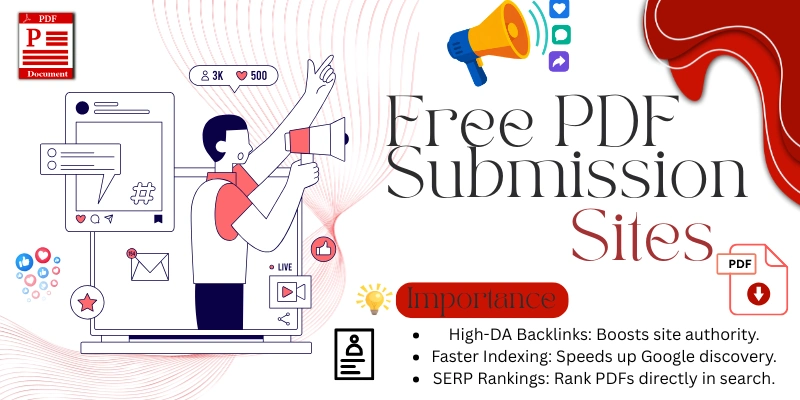
What Are PDF Submission Sites?
PDF submission sites are websites where you can upload PDF files, guides, reports, brochures, ebooks, presentations, or study material. These sites work like public libraries for digital documents, where users can read, download, save, or share files.
For SEO, these platforms support off-page SEO, content distribution, and wider document reach. When your PDF includes clear branding, useful links, and helpful information, it can send readers back to your website without sounding like a hard pitch.
Why Free PDF Submission Sites Are Still Useful for SEO in 2026
Search engines can index many text-based files, including PDFs, so a well-made PDF can become another discoverable content asset. That makes PDF sharing useful for search engine visibility, especially when your document answers a real question.
However, PDF submission is not a magic ladder to page one. It works best when combined with strong website content, internal links, and clean technical SEO. Think of it as one smart brick in your link building wall.
For stronger results, combine PDF sharing with professional SEO services so your content, backlinks, and technical setup work together.
According to Google Search Central, Google can index PDF files, which makes well-optimized PDFs useful for search visibility.
Key Benefits of Using PDF Submission Sites
One strong PDF can do more than sit inside your laptop folder. It can support PDF marketing, bring referral traffic, and help readers understand your brand through a helpful document instead of a noisy sales message.
Better yet, PDFs are perfect for content repurposing. You can turn a blog post into a checklist, a service page into a brochure, or a case study into a shareable document. That keeps your content moving.
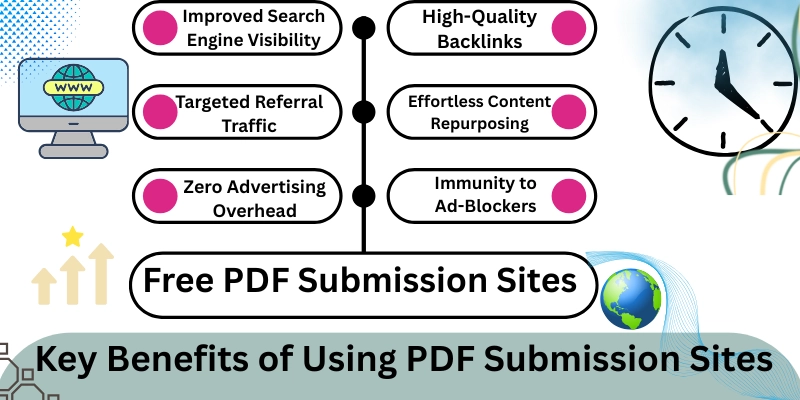
Main Benefits
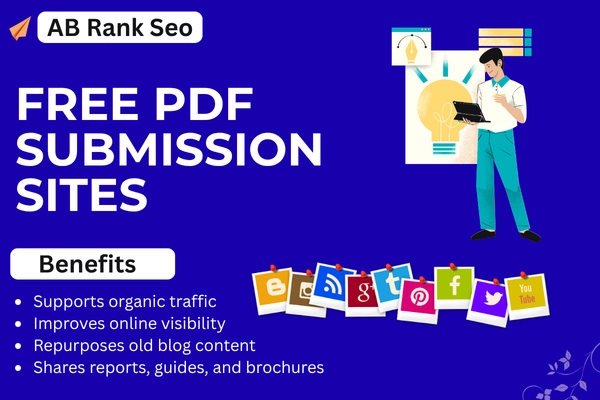
- Helps build extra SEO backlinks
- Supports organic traffic
- Improves online visibility
- Repurposes old blog content
- Shares reports, guides, and brochures
- Builds website authority
- Adds another discovery channel
- Supports business promotion
Free PDF Submission Sites List 2026
This list includes popular PDF sharing websites, document platforms, publishing portals, file sharing tools, and presentation sites. Some allow direct PDF uploads, while others support documents, slides, ebooks, or downloadable resources.
Before submitting, check each website’s current rules. Upload policies can change. Also, DA, PA, and spam scores shift over time, so treat this as a practical starting list for PDF submission sites for SEO.
According to Scribd, users can upload PDF, TXT, DOC, PPT, XLS, and DOCX files, and the platform mentions a 140M+ global audience.
| No. | Website | Best For |
|---|---|---|
| 1 | scribd.com | Documents and PDF publishing |
| 2 | slideshare.net | PDFs, PPTs, and documents |
| 3 | issuu.com | Digital magazines and brochures |
| 4 | academia.edu | Academic papers and research PDFs |
| 5 | researchgate.net | Research documents and papers |
| 6 | zenodo.org | Research files and datasets |
| 7 | figshare.com | Academic files and reports |
| 8 | dochub.com | PDF documents and forms |
| 9 | slideserve.com | Presentations and PDF sharing |
| 10 | pdfescape.com | PDF tools and sharing |
| 11 | keepandshare.com | File and document sharing |
| 12 | pdf-archive.com | PDF hosting and archives |
| 13 | diigo.com | Bookmarks, notes, and documents |
| 14 | filefactory.com | File uploads and downloads |
| 15 | wattpad.com | Stories, ebooks, and written content |
| 16 | pinpdf.com | PDF upload and sharing |
| 17 | yumpu.com | Magazines, catalogs, and PDFs |
| 18 | worldcat.org | Books, research, and records |
| 19 | anyflip.com | Flipbooks and PDF publishing |
| 20 | pearson.com | Education resources |
| 21 | peatix.com | Event documents and pages |
| 22 | archdaily.com | Architecture documents and projects |
| 23 | idoc.pub | Public document sharing |
| 24 | joomag.com | Digital publishing and magazines |
| 25 | storymirror.com | Stories and creative writing |
| 26 | commaful.com | Visual stories and content |
| 27 | writersbrew.com | Writing and document content |
| 28 | archiveofourown.org | Written works and archives |
| 29 | fanlore.org | Wiki-style content and references |
| 30 | tapatalk.com | Community content and posts |
| 31 | academia.edu | Papers and PDF documents |
| 32 | zoho.com | Business documents and apps |
| 33 | emaze.com | Presentations and visual content |
| 34 | mirrored.to | File sharing mirrors |
| 35 | transferbigfiles.com | Large file transfers |
| 36 | powershow.com | Presentations and PDF content |
| 37 | wikiupload.com | File and document uploads |
| 38 | slideonline.com | Online presentations |
| 39 | sharepresentation.com | Presentations and documents |
| 40 | clearslide.com | Sales documents and presentations |
| 41 | free-ebooks.net | Ebooks and PDF books |
| 42 | mediafire.com | File uploads and downloads |
| 43 | 2shared.com | File and document sharing |
| 44 | presentermedia.com | Presentation resources |
| 45 | poweredtemplate.com | Templates and presentation files |
| 46 | slidebean.com | Pitch decks and presentations |
| 47 | box.com | Cloud document sharing |
| 48 | dropbox.com | Cloud file sharing |
| 49 | drive.google.com | Google Drive PDF sharing |
| 50 | onedrive.live.com | Microsoft cloud documents |
What Type of PDFs Should You Submit?
The best PDFs solve one narrow problem. A checklist, short guide, service brochure, product catalog, case study, or report can work well because readers understand the value quickly. Nobody wants a dusty, overstuffed document.
For example, an SEO agency could upload a “Local SEO Audit Checklist” instead of a random company profile. That kind of PDF gives users quick help and supports document marketing, brand promotion, and qualified visits.
Good PDF Ideas
- Step-by-step guides
- Business brochures
- Product catalogs
- Case studies
- Service sheets
- Whitepapers
- Checklists
- Tutorials
- Research summaries
- Portfolio documents
How to Create an SEO-Friendly PDF Before Submission
A PDF should be readable, searchable, and easy to trust. Use a clear file name like local-seo-checklist.pdf instead of final-version-new2.pdf. Small details like this help with PDF optimization and user clarity.
Also, add your logo, website URL, short bio, clickable links, and one clear call to action. Keep the design simple. Heavy images may look nice, but huge files can annoy readers and slow downloads.
Before uploading your PDF, make sure your landing page also follows proper on page SEO so visitors get a clear and helpful experience.
PDF Optimization Checklist
- Use a keyword-friendly file name
- Add a strong document title
- Keep headings clear
- Add clickable website links
- Compress the file size
- Use readable fonts
- Add your brand details
- Include one simple CTA
- Avoid copied content
- Make scanned PDFs searchable with OCR
How to Submit PDFs on PDF Submission Sites
Submitting a PDF is usually simple, but each platform has its own rules. Some sites require an account, while others allow quick uploads. Always add a useful title, clean description, and relevant tags.
Once published, save the live URL in a tracking sheet. This small habit helps you measure website traffic, find useful platforms, and remove weak sites later. Blind posting is like throwing seeds into concrete.
Step-by-Step Process
- Create a useful PDF.
- Use a clean file name.
- Add your website link.
- Choose a trusted platform.
- Create an account if needed.
- Upload the file.
- Add title, description, and tags.
- Publish the PDF.
- Track traffic and clicks.
Best Practices for PDF Submission SEO
Quality beats volume every time. Uploading one useful PDF to strong digital publishing platforms can do more than posting thin files across dozens of weak websites. Searchers reward value, not noise.
However, don’t make every PDF a sales flyer. Teach something. Share a process. Give a checklist. When readers find value first, your links and CTA feel natural. That’s how traffic generation becomes easier.
Best Practices
- Submit original documents
- Use natural links
- Choose relevant sites
- Avoid keyword stuffing
- Add helpful visuals
- Keep branding consistent
- Update old PDFs
- Track referral visits
- Use strong titles
Common Mistakes to Avoid in PDF Submission
Many people ruin PDF submission by rushing. They upload copied content, add too many links, ignore formatting, or submit to irrelevant websites. That creates clutter instead of trust.
Another mistake is forgetting the reader. If your PDF looks like a link container, people will bounce. Build it like a mini resource. Give value first. The backlink should feel like a doorway, not a trap.
Mistakes to Avoid
- Uploading thin PDFs
- Copying blog content word-for-word
- Stuffing links everywhere
- Using poor file names
- Forgetting contact details
- Ignoring design
- Skipping descriptions
- Choosing low-quality sites only
Mini Case Study: How One PDF Can Support SEO
A small home service brand turned one blog post into a 6-page PDF checklist. It added a short intro, simple steps, a service page link, and a call-to-action at the end.
After sharing it on selected PDF sharing websites, the brand received referral visits and a few branded searches. The result wasn’t explosive, but it created another discovery path. Sometimes small hinges swing big doors.
FAQs About Free PDF Submission Sites:
Following are the frequently asked questions about the same topic, which I answer each in short to make the topic more clear.
What are free PDF submission sites?
They are platforms where you can upload PDFs without paying. Marketers use them to share guides, brochures, reports, and documents while supporting content sharing sites, referral traffic, and wider visibility.
Do PDF submission sites help SEO?
Yes, they can help when used correctly. They may support SEO backlinks, brand mentions, and document discovery. Still, they work best with helpful content and a clean website strategy.
Are PDF submission backlinks dofollow?
Some platforms may allow followed links, while others may use nofollow or redirect systems. Since rules change often, check each site manually before treating it as one of your dofollow PDF submission sites.
How do I create SEO-friendly PDF files?
Use a clear file name, readable headings, compressed images, clickable links, and useful content. This is the simplest answer to how to create SEO-friendly PDF files without making the document feel stuffed.
Where can I submit PDF files online?
You can submit files on document platforms, PDF sharing sites, presentation websites, ebook platforms, and cloud sharing tools. This helps answer where to submit PDF files online for different content types.
Can PDF submission increase traffic?
Yes, but only when the PDF solves a real problem. Helpful documents can bring referral traffic, social shares, branded searches, and extra visibility from high authority websites.
Final Thoughts on Free PDF Submission Sites
Free PDF submission sites still deserve a place in a smart SEO plan. They help you repurpose content, share documents, build visibility, and create small but useful paths back to your website.
My recommendation is simple: create one excellent PDF before submitting ten average ones. Make it useful, branded, and easy to read. Then publish it on trusted platforms and keep improving your PDF marketing strategy.